Everything You Ever Wanted to Know But Were Afraid to Ask

Joelle Dietrick and I sent images this week to two international group shows at the Golden Thread Gallery in Belfast, Northern Ireland, U.K. and the Raccolte Frugone Museum in Genoa, Italy. We were invited to submit proposals that “could not be realized” to Sean Miller, who curated the exhibitions as part of his John Erickson Museum of Art project.
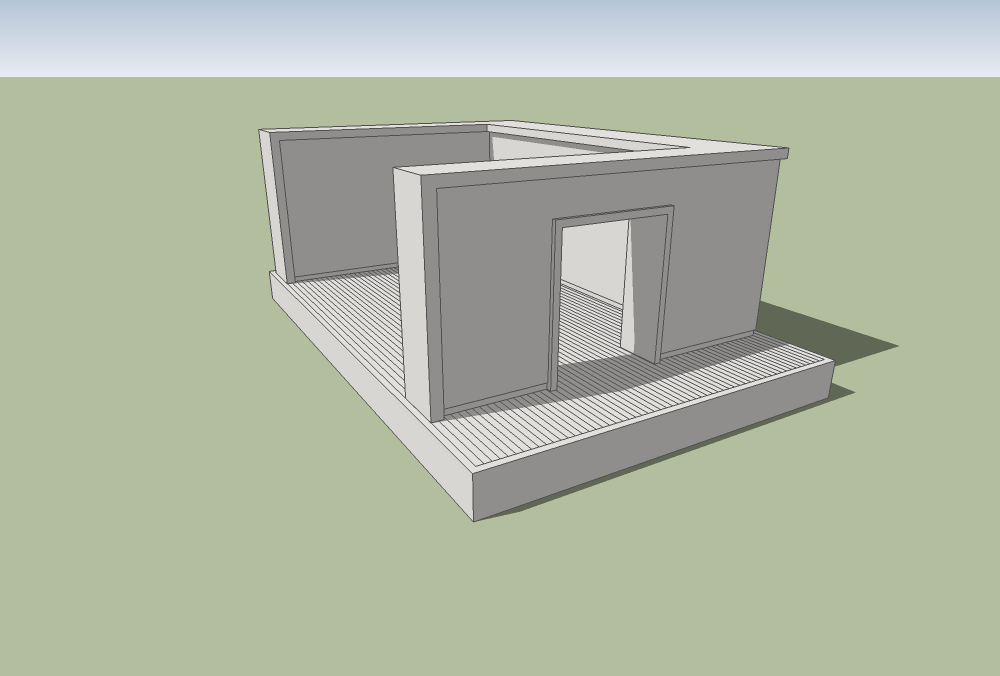
oj_JEMA_right-front_1000w

Our process involved first constructing a 3-dimensional model of the space. I did this using Google SketchUp.
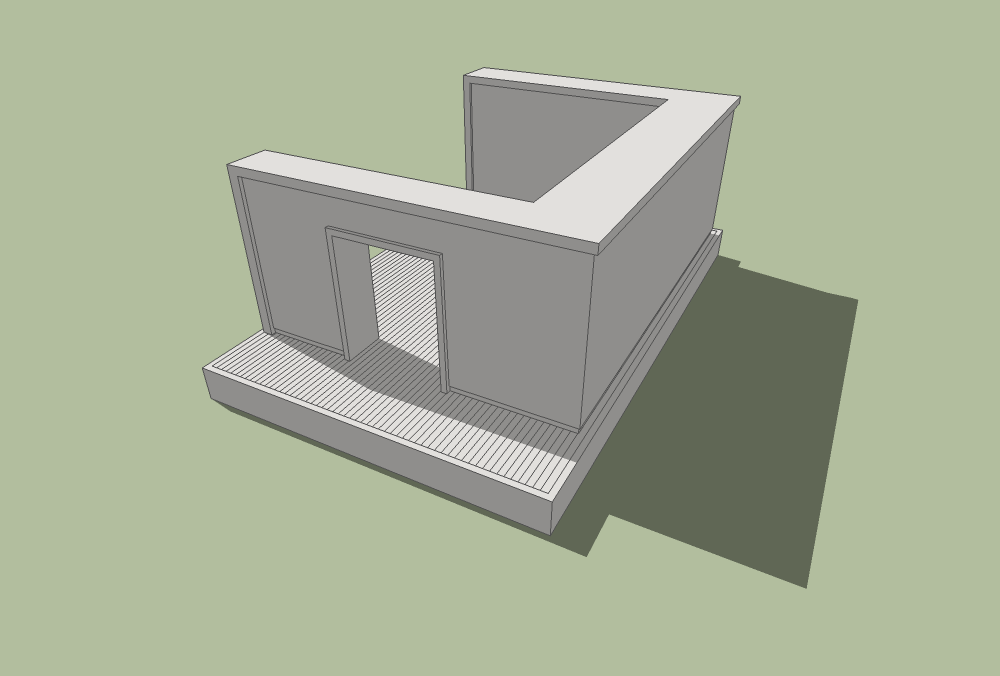
oj_JEMA_right-back_1000w

A different view of the final model.

oj_JEMA_multi_1000w

The first work, Everything You Ever Wanted to Know But Were Afraid to Ask, constructed inside the space using SketchUp.

Following are the final works on paper.

multi_iso_top_1000w

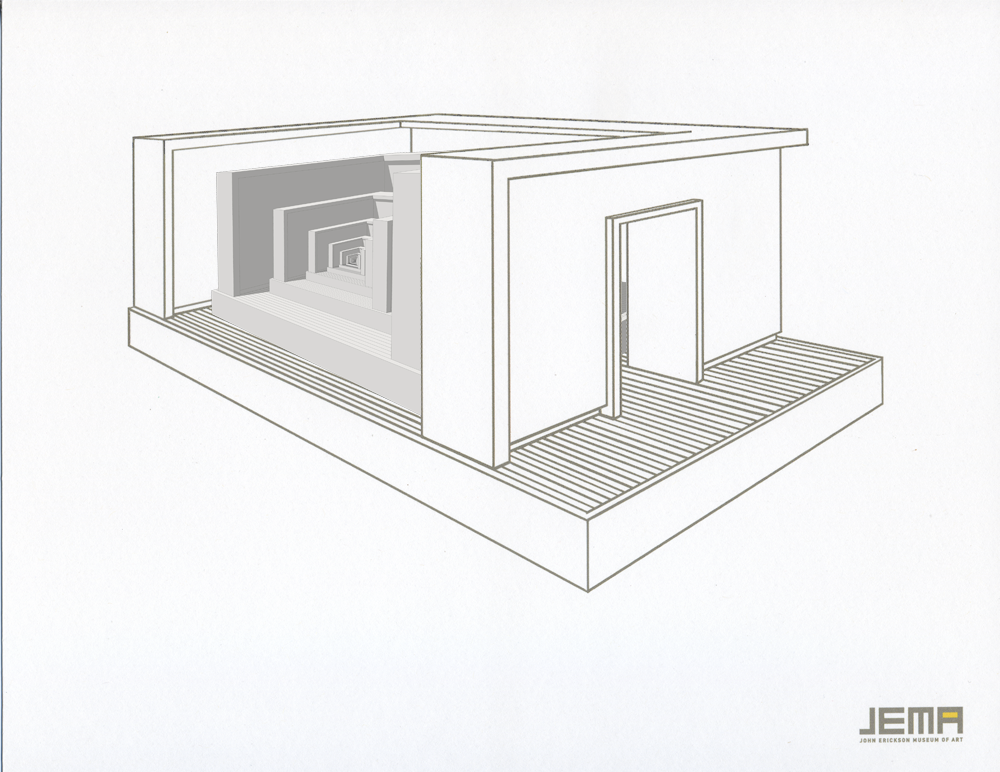
Everything You Ever Wanted to Know But Were Afraid to Ask, 11×8.5″, archival inkjet on paper, 2010
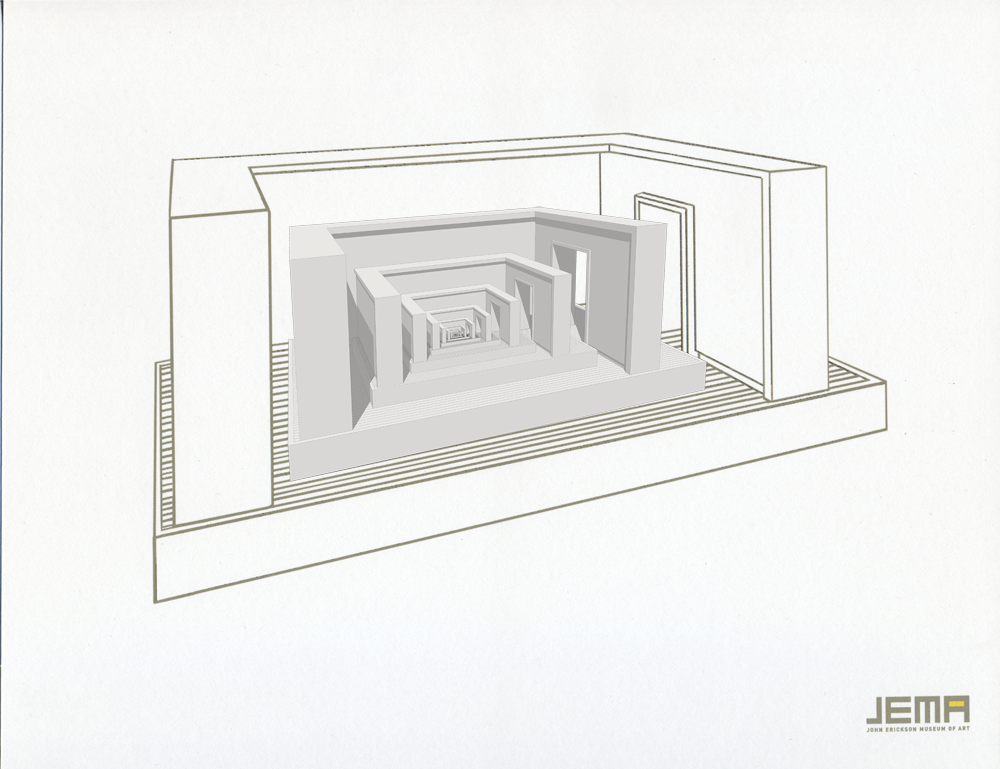
multi_iso_left_1000w

Everything You Ever Wanted to Know But Were Afraid to Ask, 11×8.5″, archival inkjet on paper, 2010
multi_iso_right_1000w

Everything You Ever Wanted to Know But Were Afraid to Ask, 11×8.5″, archival inkjet on paper, 2010

furniture_iso_top_1000w

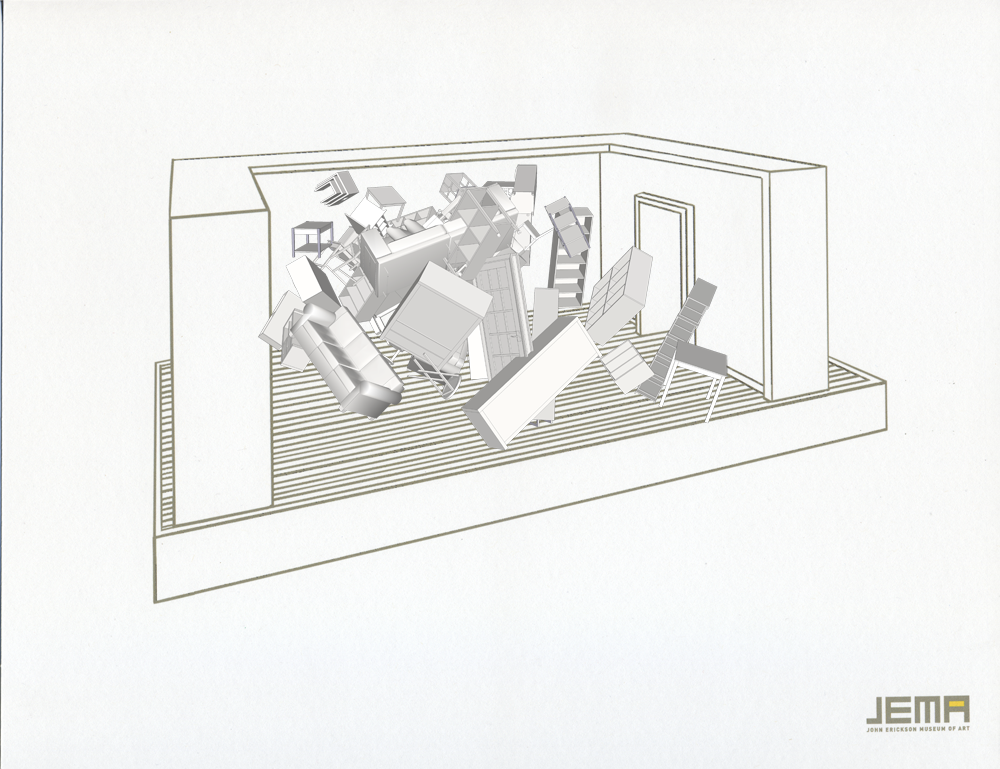
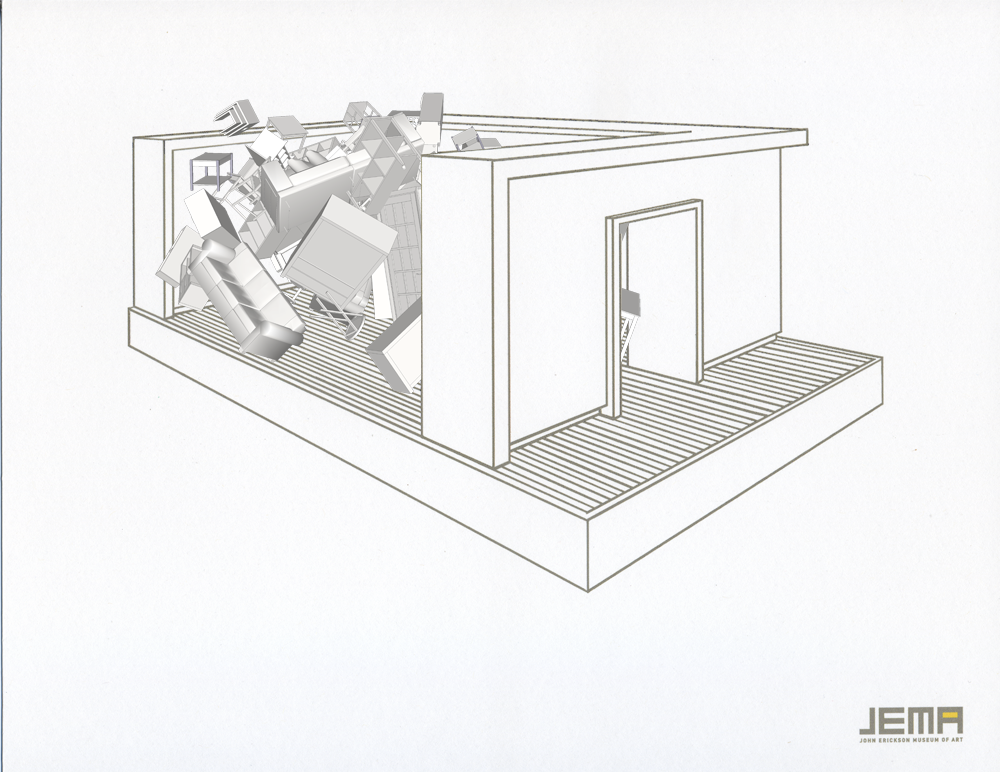
JEMA.3333, 11×8.5″, archival inkjet on paper, 2010
furniture_iso_left_1000w

JEMA.3333, 11×8.5″, archival inkjet on paper, 2010
furniture_iso_right_1000w

JEMA.3333, 11×8.5″, archival inkjet on paper, 2010

NC_CARD

Museum All-Over
June 4-August 29, 2010
John Erickson Museum of Art: Next Chapter and
Raccolte Frugone Museum
Genoa, Italy

Little Wonder
June 4-June 17, 2010
John Erickson Museum of Art: Next Chapter and
Golden Thread Gallery
Belfast, Northern Ireland
U.K.

Hello World

Considering sharing the source code behind Give Me My Data on GitHub. Looks like its great for archiving, improving, and sharing…

“Facebook’s Disconnect: Open Doors, Closed Exits” – TechCrunch

Picture 1

More press for Give Me My Data, this time by Rohit Khare from TechCrunch (thanks for the note Evan.).

“Give Me My Data has a more open-ended design that supports exploration and experimentation, in part because it sports an impressive array of formats to download your friend lists and other information for use in other projects such as visualization and charting. Owen Mundy at Florida State originally developed it for his own use, but “this week it kind of exploded because of the interface changes.” That could either be a sign of broader awareness of how much data users share with Facebook; or it could be the acute interest users have in putting profile data that Facebook “lost” right back onto Facebook (a feature that may be coming soon).”

Fading an LED with PWM and a Potentiometer

Using a potentiometer and PWM on an Arduino to fade an LED.

  1.  
  2. /* POT to LED test -> by Owen Mundy March 11, 2010
  3.    from: http://itp.nyu.edu/physcomp/Labs/AnalogIn
  4. —————————————————————*/
  5.  
  6. int potPin = 0;    // Analog input pin that the potentiometer is attached to
  7. int potValue = 0;  // value read from the pot
  8. int led = 9;      // PWM pin that the LED is on.  n.b. PWM 0 is on digital pin 9
  9.  
  10. void setup() {
  11.   // initialize serial communications at 9600 bps:
  12.   Serial.begin(9600);
  13.   // declare the led pin as an output:
  14.   pinMode(led, OUTPUT);
  15. }
  16.  
  17. void loop() {
  18.   potValue = analogRead(potPin); // read the pot value
  19.   analogWrite(led, potValue/4);  // PWM the LED with the pot value (divided by 4 to fit in a byte)
  20.   Serial.println("hello");      // print the pot value back to the debugger pane
  21.   delay(10);                     // wait 10 milliseconds before the next loop
  22. }
  23.  

Here is the schematic for the above project.

Using PWM and a potentiometer to fade an LED and drive a stepper motor, powered by a Boarduino RBBB.

  1.  
  2. /*
  3.   Owen Mundy
  4.  July 29, 2009
  5.  
  6.  p. 262 of Physical Computing
  7.  Using BBB to run stepper motor by manually moving steppers
  8.  
  9.  */
  10.  
  11. int pin1 = 3;                 // PWM
  12. int pin2 = 5;                 // PWM
  13. int pin3 = 6;                 // PWM
  14. int pin4 = 9;                 // PWM
  15. int ledpin = 13;              // LED
  16. int led = false;              // LED monitor
  17. int motor_time_lapse = 80;
  18.  
  19. int potPin = 0;      // Analog input pin that the potentiometer is attached to
  20. int potValue = 0;    // value read from the pot
  21. int ledPotPin = 11;  // PWM pin that the LED is on.  n.b. PWM 0 is on digital pin 9
  22.  
  23.  
  24. void setup()
  25. {
  26.   pinMode(pin1, OUTPUT);      // sets the pin as output
  27.   pinMode(pin2, OUTPUT);      // sets the pin as output
  28.   pinMode(pin3, OUTPUT);      // sets the pin as output
  29.   pinMode(pin4, OUTPUT);      // sets the pin as output
  30.   pinMode(ledpin, OUTPUT);    // sets the pin as output
  31.  
  32.   // initialize serial communications at 9600 bps:
  33.   Serial.begin(9600);
  34.   // declare the led pin as an output:
  35.   pinMode(ledPotPin, OUTPUT);
  36. }
  37.  
  38. void loop()
  39. {
  40.   potValue = analogRead(potPin); // read the pot value
  41.   analogWrite(ledPotPin, potValue/4);  // PWM the LED with the pot value (divided by 4 to fit in a byte)
  42.   Serial.println(potValue);
  43.  
  44.   digitalWrite(pin1, HIGH);   // on
  45.   digitalWrite(pin2, LOW);    // off
  46.   digitalWrite(pin3, HIGH);   // on
  47.   digitalWrite(pin4, LOW);    // off
  48.   delay(motor_time_lapse);    // wait
  49.  
  50.  
  51.   digitalWrite(pin1, LOW);    // off
  52.   digitalWrite(pin2, HIGH);   // on
  53.   digitalWrite(pin3, HIGH);   // on
  54.   digitalWrite(pin4, LOW);    // off
  55.   delay(motor_time_lapse);    // wait
  56.  
  57.   digitalWrite(pin1, LOW);    // off
  58.   digitalWrite(pin2, HIGH);   // on
  59.   digitalWrite(pin3, LOW);    // off
  60.   digitalWrite(pin4, HIGH);   // on
  61.   delay(motor_time_lapse);    // wait
  62.  
  63.  
  64.   digitalWrite(pin1, HIGH);   // on
  65.   digitalWrite(pin2, LOW);    // off
  66.   digitalWrite(pin3, LOW);    // off
  67.   digitalWrite(pin4, HIGH);   // on
  68.   delay(motor_time_lapse);    // wait
  69.  
  70.   blink();
  71. }
  72.  
  73. void blink()
  74. {
  75.   if (led == false)
  76.   {
  77.     led = true;
  78.     digitalWrite(ledpin, HIGH); // on  
  79.   }
  80.   else
  81.   {
  82.     led = false;
  83.     digitalWrite(ledpin, LOW); // on  
  84.   }
  85. }

PHP: Timestamp validator and converter

  1. <?php
  2.  
  3. /*
  4.  *  Timestamp validator and converter
  5.  *  {cc} Owen Mundy ~ owenmundy.com
  6.  *
  7.  */  
  8. function convert_date($string)
  9. {
  10.     // make sure it is a string with a number && > 1992-05-07 && < 2033-05-18
  11.     if ( ctype_digit($string) && $string >= 800000000 && $string <= 1999999999 )
  12.     {
  13.         // if so convert it to a human-readable date
  14.         $d = date(‘Y-m-d H:i:s’, $string);
  15.         return $d;
  16.     }
  17.     else
  18.     {
  19.         return false;  
  20.     }
  21. }
  22.  
  23. print convert_date("1613199869");
  24.  
  25. ?>

Thanks

“Facebook App Brings Back Data by Riva Richmond” – The New York Times

logo_nyt

Facebook App Brings Back Data by Riva Richmond, New York Times, May 1, 2010

“The app is “making hackers out of regular users,” says the developer, Owen Mundy, an assistant professor in Florida State University’s art department. And it’s giving them a way to exercise ownership rights over their data. (After all, Facebook’s Statement of Rights and Responsibilities says users “own all of the content and information” they have posted on Facebook.)”

Give Me My Data updates

Give Me My Data is a Facebook application that helps you reclaim and reuse your facebook data. It is currently in-development but starting to receive an amazing amount of traffic from Facebook users. Apparently the developers at Facebook made a change to the interface this week leaving many users unable to find or display specific information they had added to their pages. Give Me My Data helps users circumvent the problems they are having with the interface by giving them another way to access their data.

Due to the amount of questions I have received about the application I decided to launch a new website to share information about it here: givememydata.com

website_20100428

app_20100428
Facebook application interface

stats_20100428_map
Visitors from this week (via statcounter)

The application profile page
Use the application